
このページとあなたの好きなAIアシスタントを使ってドキュメントを要約します
バージョン履歴
- "Solid useIntlayer APIのプロパティへの直接アクセスへの変更"v8.9.02026/5/4
- "安定版リリース"v8.0.02026/1/26
- "initコマンドの追加"v8.0.02025/12/30
- "初期履歴"v5.5.102025/6/29
このページのコンテンツはAIを使用して翻訳されました。
英語の元のコンテンツの最新バージョンを見るこのドキュメントを改善するアイデアがある場合は、GitHubでプルリクエストを送信することで自由に貢献してください。
ドキュメントへのGitHubリンクドキュメントのMarkdownをクリップボードにコピー
Intlayerを使用してAngular 21(Vite)Webサイトを翻訳する
目次
代替手段ではなく Interlayer を使用する理由
「ngx-translate」や「angular-l10n」などの主要なソリューションと比較して、Intlayer は次のような統合された最適化を備えたソリューションです。
Intlayer は、コンポーネント レベルのコンテンツ スコープ、遅延読み込み、および国際化 (i18n) のスケーリングに必要なすべての機能を提供することにより、Angular と完全に連携するように最適化されています。
大量の JSON ファイルをページにロードするのではなく、必要なコンテンツのみをロードします。 Intlayer は、バンドルとページのサイズを最大 50% 削減するのに役立ちます。
アプリケーションのコンテンツのスコープを設定すると、大規模なアプリケーションの メンテナンスが容易になります。コンテンツ コードベース全体を確認するという精神的な負担を負うことなく、単一の機能フォルダーを複製または削除できます。さらに、Intlayer は完全に型指定されており、コンテンツの正確性を保証します。
コンテンツを同じ場所に配置すると、大規模言語モデル (LLM) によって 必要なコンテキストが削減されます。 Intlayer には、翻訳の欠落をテストする CLI、LSP、MCP などのツール スイートも付属しています。および agent skills により、AI エージェントの開発者エクスペリエンス (DX) がさらにスムーズになります。
AI プロバイダーの費用で、選択した LLM を使用して CI/CD パイプラインで自動化を変換します。 Intlayer は、コンテンツ抽出を自動化する コンパイラー と、バックグラウンドでの翻訳を支援する Web プラットフォーム も提供します。
大量の JSON ファイルをコンポーネントに接続すると、パフォーマンスと反応性の問題が発生する可能性があります。 Intlayer は、ビルド時のコンテンツの読み込みを最適化します。
Intlayer は単なる i18n ソリューションではなく、自己ホスト型 ビジュアル エディター と 完全な CMS を提供します。 リアルタイムで多言語コンテンツを管理できるようになり、翻訳者、コピーライター、その他のチーム メンバーとのコラボレーションがシームレスになります。コンテンツはローカルおよび/またはリモートに保存できます。
AngularアプリケーションでIntlayerをセットアップするためのステップバイステップガイド
GitHubでアプリケーションテンプレートを参照してください。
依存関係のインストール
npmを使用して必要なパッケージをインストールします:
bashコードをコピーコードをクリップボードにコピー
--interactiveフラグはオプションです。AI エージェントの場合はintlayer-cli initを使用してください。このコマンドは環境を検出し、必要なパッケージをインストールします。例えば:
bashコードをコピーコードをクリップボードにコピー
プロジェクトの構成
アーキテクチャ
このアーキテクチャでは、
angular-intlayerがprovideIntlayer()を提供し、src/app/app.config.tsに登録されることで、すべてのコンポーネントがuseIntlayerシグナルを通じてコンテンツを読み取れるようになります。Angular CLI はカスタム esbuild ビルダーに切り替えられ、esbuild.plugins.tsが Intlayer プラグインをビルドに登録してコンテンツ宣言を監視および再構築します。コンテンツ宣言はsrc/app/内のコンポーネントと一緒に配置されます。bashコードをコピーコードをクリップボードにコピー
設定
アプリケーションの言語を構成するための構成ファイルを作成します:
intlayer.config.tsコードをコピーコードをクリップボードにコピー
import { Locales, type IntlayerConfig } from "intlayer"; const config: IntlayerConfig = { internationalization: { locales: [ Locales.ENGLISH, Locales.FRENCH, Locales.SPANISH, // その他の言語 ], defaultLocale: Locales.ENGLISH, }, }; export default config;この設定ファイルを通じて、ローカライズされたURL、ミドルウェアのリダイレクト、Cookie名、コンテンツ宣言の場所と拡張子、コンソールでのIntlayerログの無効化などを設定できます。利用可能なパラメーターの完全なリストについては、設定ドキュメントを参照してください。
Angular構成へのIntlayerの統合
IntlayerをAngular CLIと統合するには、カスタムビルダーを使用する必要があります。このガイドでは、Vite/esbuild(Angular 21プロジェクトのデフォルト)を使用していることを前提としています。
まず、カスタムesbuildビルダーを使用するように
angular.jsonを変更します。buildとserveの構成を更新します:angular.jsonコードをコピーコードをクリップボードにコピー
angular.json内のyour-app-nameをプロジェクトの実際のプロジェクト名に置き換えることを忘れないでください。次に、プロジェクトのルートに
esbuild.plugins.tsファイルを作成します:esbuild.plugins.tsコードをコピーコードをクリップボードにコピー
intlayerEsbuildPlugin関数はesbuildにIntlayerを設定します。コンテンツ宣言ファイルを処理するプラグインを注入し、最適なパフォーマンスのためのエイリアスを設定します。NX ユーザー: NX の Angular ビルダーは、Node のネイティブ ESM 解決を介してプラグインファイルをロードし、TypeScript プラグインファイルをその場でコンパイルしません。代わりに
.mjsファイルを使用し、それに応じてangular.jsonのplugins参照を更新してください:esbuild.plugins.mjsコードをコピーコードをクリップボードにコピー
その後、
angular.jsonで"./esbuild.plugins.ts"の代わりに"./esbuild.plugins.mjs"を指定します。コンテンツの宣言
翻訳を保存するためにコンテンツ宣言を作成および管理します:
src/app/app.content.tsコードをコピーコードをクリップボードにコピー
import { t, type Dictionary } from "intlayer";

const appContent = {
  key: "app",
  content: {
    title: t({
      en: "Hello",
      fr: "Bonjour",
      es: "Hola",
    }),
    congratulations: t({
      en: "Congratulations! Your app is running. 🎉",
      fr: "Félicitations! Votre application est en cours d'exécution. 🎉",
      es: "¡Felicidades! Tu aplicación está en ejecución. 🎉",
    }),
    exploreDocs: t({
      en: "Explore the Docs",
      fr: "Explorer les Docs",
      es: "Explorar los Docs",
    }),
    learnWithTutorials: t({
      en: "Learn with Tutorials",
      fr: "Apprendre avec les Tutoriels",
      es: "Aprender con los Tutorios",
    }),
    cliDocs: "CLI Docs",
    angularLanguageService: t({
      en: "Angular Language Service",
      fr: "Service de Langage Angular",
      es: "Servicio de Lenguaje Angular",
    }),
    angularDevTools: "Angular DevTools",
    github: "Github",
    twitter: "Twitter",
    youtube: "Youtube",
  },
} satisfies Dictionary;

export default appContent;
コンテンツ宣言は、
contentDirディレクトリ(デフォルトでは./src)に含まれている限り、アプリケーション内のどこにでも定義できます。また、コンテンツ宣言ファイルの拡張子(デフォルトでは.content.{json,ts,tsx,js,jsx,mjs,cjs,md,mdx,yaml,yml})と一致している必要があります。詳細については、コンテンツ宣言のドキュメントを参照してください。
コードでIntlayerを活用する
Angularアプリケーション全体でIntlayerの国際化機能を活用するには、アプリケーションの構成でIntlayerを提供する必要があります。
src/app/app.config.tsコードをコピーコードをクリップボードにコピー
次に、任意のコンポーネント内で
useIntlayer機能を使用できます。src/app/app.component.tsコードをコピーコードをクリップボードにコピー
そして、テンプレートでは:
src/app/app.component.htmlコードをコピーコードをクリップボードにコピー
Intlayerのコンテンツは
Signalとして返されるため、シグナルを呼び出すことで値にアクセスします:content().title。コンテンツの言語を変更する
コンテンツの言語を変更するには、
useLocale関数によって提供されるsetLocale関数を使用できます。これにより、アプリケーションのロケールを設定し、それに応じてコンテンツを更新できます。言語を切り替えるためのコンポーネントを作成します:
src/app/locale-switcher.component.tsコードをコピーコードをクリップボードにコピー
次に、このコンポーネントを
app.component.tsで使用します:src/app/app.component.tsコードをコピーコードをクリップボードにコピー
TypeScriptの設定
Intlayerは、TypeScriptの利便性を高め、コードベースをより堅牢にするためにモジュール拡張を使用します。
TypeScript構成に自動生成された型が含まれていることを確認してください。
コードをクリップボードにコピー
Gitの設定
Intlayerによって生成されたファイルを無視することをお勧めします。これにより、Gitリポジトリへのコミットを避けることができます。
これを行うには、.gitignoreファイルに次の指示を追加できます:
コードをクリップボードにコピー
VS Code拡張機能
Intlayerでの開発エクスペリエンスを向上させるために、公式のIntlayer VS Code拡張機能をインストールできます。
この拡張機能は次を提供します:
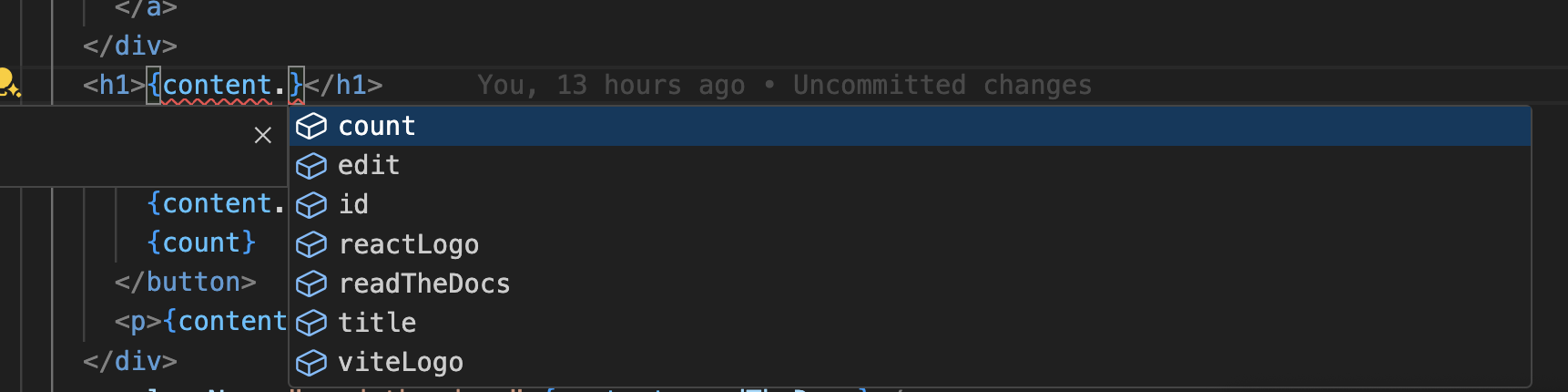
- 翻訳キーのオートコンプリート。
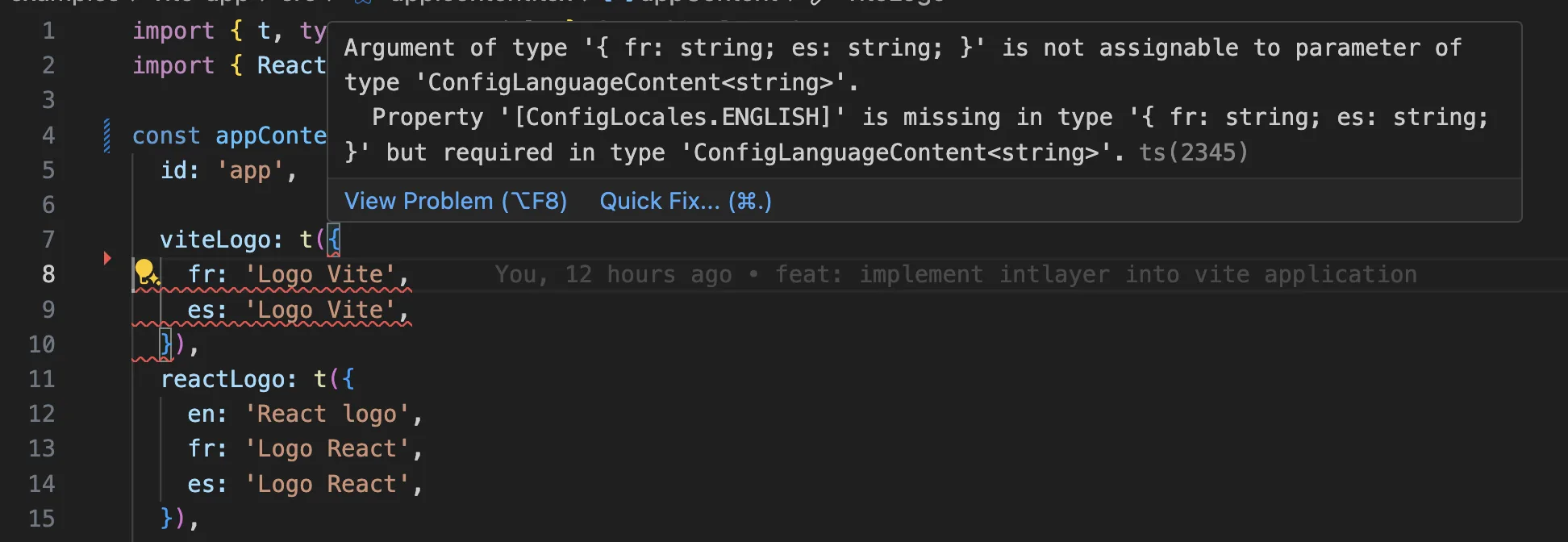
- 欠落している翻訳のリアルタイムエラー検出。
- 翻訳されたコンテンツのインラインプレビュー。
- 翻訳を簡単に作成および更新するためのクイックアクション。
拡張機能の使い方の詳細については、Intlayer VS Code拡張機能のドキュメントを参照してください。
さらに進む
さらに進むには、ビジュアルエディターを実装したり、CMSを使用してコンテンツを外部化したりできます。
よくある質問
@angular/localize、組み込みのi18n: メッセージはXLIFFに抽出され、各ロケールは独自のビルドにコンパイルされます。これは、言語ごとに1つのデプロイメントアーティファクトが必要で、ランタイムでのロケール切り替えができないことを意味します。ngx-translateおよびTransloco: サービスを介してロードされるランタイムJSONカタログで、ロケール切り替えは可能ですが、ビルド時の型付けはありません。Intlayer: 最も先進的なソリューションです。コードベースのどこにでも宣言されたコンテンツ(各コンポーネントの隣、または一元化された場所)がビルド時にコンパイルされ、完全に型付けされ、ランタイムでのロケール切り替え、AI翻訳、ビジュアルエディター、CMSが利用できます。
@angular/localize を使用しない主な理由は、ロケールごとに1つのビルドが必要となるモデルです。Intlayerは単一のビルドを維持し、ランタイムで言語を切り替えます。Intlayerの利点をご覧ください。
ほとんど可能です。ngx-translate移行ガイドまたはTransloco移行ガイドに従ってコンテンツを移行してください。段階的に移行することも可能です。sync JSON pluginは、既存のJSONカタログを信頼できる情報源として保持し、そこからIntlayer辞書を生成するため、テンプレートを一つずつ移行する間も両方のレイヤーが同期を保ちます。
はい、可能です。sync JSON pluginは、/messages/{locale}/{namespace}.json ファイルを信頼できる情報源として保持し、そこから双方向にIntlayer辞書を生成します。sync PO pluginはgettextカタログに対しても同様の機能を提供し、ロケールごとのファイルを使用すると、ロケールを1つのファイルにまとめるのではなく、言語ごとにコンテンツを分割できます。
いいえ、必要ありません。npx intlayer extract を実行すると、Intlayerがソースファイルを読み込み、ユーザー向けの文字列を抽出し、それぞれのファイルの隣に.contentファイルを書き出します。これにより、文字列をカタログに一つずつコピーする代わりに、差分を確認するだけで済みます。extractコマンドをご覧ください。
完全に自動化されたパイプラインの場合、Intlayer Compilerは、JSX、TSX、Vue、Svelteのソースに対してビルド時に同様の処理を行い、変更があるたびに辞書を生成するため、手動でキーを管理する必要がありません。これは静的解析によって機能するため、ランタイムにのみ存在する文字列は対象外となり、ユーザー向けのテキストとアプリケーションロジックを区別するためにいくつかの注釈が必要です。
5つのツールがあり、すべてオプションです。
- VS Code拡張機能:
useIntlayerキーからそれを宣言しているコンテンツファイルにジャンプしたり、コンポーネントからコンテンツを抽出したり、コマンドパレットまたは専用のIntlayerタブからビルド、フィル、テスト、プッシュ、プルを実行したりできます。 - LSPサーバー: LSPに対応する任意のエディターで同様の認識機能を提供します。定義へのジャンプ、すべての参照の検索、翻訳された値のホバープレビュー、キーとフィールドのオートコンプリート、どこにも宣言されていないキーに対する警告などが含まれます。また、
i18next、react-i18next、next-intl、use-intlの呼び出しも解決するため、移行中に役立ちます。 - MCPサーバー: IntlayerのドキュメントとCLIをCursor、VS Code、Claude Desktop、Claude Code、ChatGPTに公開します。これにより、アシスタントは推測ではなく現在のドキュメントから回答し、
intlayer fillなどのコマンド自体を実行できます。 - エージェントスキル:
intlayer-config、intlayer-cli、intlayer-contentなどの特化したスキルに加え、フレームワークごとのスキルがあり、エージェントにルーティング設定とコンテンツノードタイプを教えます。 - ESLintプラグイン:
no-raw-textはハードコードされた文字列にフラグを立て、静的辞書キーや未使用のコンテンツに対する追加のルールも提供します。