
使用您最喜欢的AI助手总结文档,并引用此页面和AI提供商
版本历史
- "更新Solid useIntlayer API的用法以直接访问属性"v8.9.02026/5/4
- "发布稳定版"v8.0.02026/1/26
- "增加init命令"v8.0.02025/12/30
- "初始版本"v5.5.102025/6/29
此页面的内容已使用 AI 翻译。
查看英文原文的最新版本如果您有改善此文档的想法,请随时通过在GitHub上提交拉取请求来贡献。
文档的 GitHub 链接复制文档 Markdown 到剪贴板
使用Intlayer翻译您的Angular 21(Vite)网站
目录
为什么选择 Inlayer 而不是替代品?
与“ngx-translate”或“angular-l10n”等主要解决方案相比,Intlayer 是一个具有集成优化的解决方案,例如:
Intlayer 经过优化,可与 Angular 完美配合,提供组件级内容范围、延迟加载翻译以及扩展国际化 (i18n) 所需的所有功能。
不要将大量 JSON 文件加载到页面中,而只需加载必要的内容。 Intlayer 有助于将捆绑包和页面大小减少多达 50%。
确定应用程序内容的范围有利于大型应用程序的维护。您可以复制或删除单个功能文件夹,而无需承担检查整个内容代码库的精神负担。此外,Intlayer 具有完全类型化 (fully typed),以确保您的内容的准确性。
共置内容减少大型语言模型 (LLM) 所需的上下文。 Intlayer 还附带了一套工具,例如用于测试缺失翻译的 CLI、LSP、MCP 和 agent skills,使 AI 代理的开发者体验 (DX) 更加流畅。
使用您选择的法学硕士,通过自动化在 CI/CD 管道中进行翻译,而费用由您的 AI 提供商承担。 Intlayer 还提供了一个编译器来自动提取内容,以及一个网络平台来帮助在后台翻译。
将大量 JSON 文件连接到组件可能会导致性能和反应性问题。 Intlayer 可在构建时 (build time)优化您的内容加载。
在Angular应用程序中设置Intlayer的分步指南
在GitHub上查看 应用程序模板。
安装依赖项
使用npm安装必要的包:
bash复制代码复制代码到剪贴板
--interactive标志是可选的。如果您是 AI 代理,请使用intlayer-cli init。该命令将检测您的环境并安装所需的软件包。例如:
bash复制代码复制代码到剪贴板
配置您的项目
架构
在此架构中,
angular-intlayer提供provideIntlayer(),并在src/app/app.config.ts中注册,以便每个组件都能通过useIntlayersignal 读取其内容。Angular CLI 切换为自定义 esbuild 构建器,esbuild.plugins.ts将 Intlayer 插件注册到构建中,以监视并重新构建你的内容声明。内容声明文件与组件一起放置在src/app/中。bash复制代码复制代码到剪贴板
配置
创建一个配置文件以配置您应用程序的语言:
intlayer.config.ts复制代码复制代码到剪贴板
import { Locales, type IntlayerConfig } from "intlayer"; const config: IntlayerConfig = { internationalization: { locales: [ Locales.ENGLISH, Locales.FRENCH, Locales.SPANISH, // 您支持的其他语言 ], defaultLocale: Locales.ENGLISH, }, }; export default config;通过此配置文件,您可以设置本地化的URL、中间件重定向、Cookie名称、内容声明的位置和扩展名、禁用控制台中的Intlayer日志等。获取所有可用参数的完整列表,请参考配置文档。
在Angular配置中集成Intlayer
要将Intlayer与Angular CLI集成,您需要使用自定义构建器。本指南假设您使用的是 Vite/esbuild(Angular 21项目的默认设置)。
首先,修改您的
angular.json,使用自定义的esbuild构建器。更新build和serve配置:angular.json复制代码复制代码到剪贴板
请确保将
angular.json中的your-app-name替换为您项目的实际名称。接下来,在项目的根目录中创建一个
esbuild.plugins.ts文件:esbuild.plugins.ts复制代码复制代码到剪贴板
intlayerEsbuildPlugin函数负责使用Intlayer配置esbuild。它注入插件来处理内容声明文件,并针对最佳性能进行了设置。NX 用户:NX 的 Angular 构建器通过 Node 的原生 ESM 解析加载插件文件,并且不会实时编译 TypeScript 插件文件。请改用
.mjs文件,并相应地更新angular.json中的plugins引用:esbuild.plugins.mjs复制代码复制代码到剪贴板
然后在
angular.json中指向"./esbuild.plugins.mjs",而不是"./esbuild.plugins.ts"。声明您的内容
创建并管理您的内容声明文件以存储翻译:
src/app/app.content.ts复制代码复制代码到剪贴板
import { t, type Dictionary } from "intlayer";

const appContent = {
  key: "app",
  content: {
    title: t({
      en: "Hello",
      fr: "Bonjour",
      es: "Hola",
    }),
    congratulations: t({
      en: "Congratulations! Your app is running. 🎉",
      fr: "Félicitations! Votre application est en cours d'exécution. 🎉",
      es: "¡Felicidades! Tu aplicación está en ejecución. 🎉",
    }),
    exploreDocs: t({
      en: "Explore the Docs",
      fr: "Explorer les Docs",
      es: "Explorar los Docs",
    }),
    learnWithTutorials: t({
      en: "Learn with Tutorials",
      fr: "Apprendre avec les Tutoriels",
      es: "Aprender con los Tutorios",
    }),
    cliDocs: "CLI Docs",
    angularLanguageService: t({
      en: "Angular Language Service",
      fr: "Service de Langage Angular",
      es: "Servicio de Lenguaje Angular",
    }),
    angularDevTools: "Angular DevTools",
    github: "Github",
    twitter: "Twitter",
    youtube: "Youtube",
  },
} satisfies Dictionary;

export default appContent;
您的内容声明可以定义在应用程序的任何位置,只需将其包含在
contentDir目录(默认为./src)中,并且符合内容声明的文件后缀名(默认为.content.{json,ts,tsx,js,jsx,mjs,cjs,md,mdx,yaml,yml})。详细信息请参考 内容声明文档。
在代码中使用Intlayer
要在整个Angular应用程序中利用Intlayer的国际化功能,您需要在应用程序配置中提供Intlayer。
src/app/app.config.ts复制代码复制代码到剪贴板
然后,您可以在任何组件中使用
useIntlayer功能。src/app/app.component.ts复制代码复制代码到剪贴板
在您的模板中:
src/app/app.component.html复制代码复制代码到剪贴板
Intlayer 内容将作为
Signal返回,因此您可以通过调用信号来访问值:content().title。更改内容的语言
要更改内容的语言,您可以使用
useLocale函数提供的setLocale函数。这允许您设置应用程序的区域设置,并相应更新内容。创建一个用于切换语言的组件:
src/app/locale-switcher.component.ts复制代码复制代码到剪贴板
然后,在
app.component.ts中使用此组件:src/app/app.component.ts复制代码复制代码到剪贴板
配置TypeScript
Intlayer使用模块扩充(Module Augmentation)来获得TypeScript的好处,并使您的代码库更健壮。
请确保您的TypeScript配置包含了自动生成的类型。
复制代码到剪贴板
Git配置
建议忽略由Intlayer生成的文件。这可以避免将它们提交到您的Git仓库。
为此,您可以将以下说明添加到您的 .gitignore 文件中:
复制代码到剪贴板
VS Code 扩展
为了提升您在Intlayer中的开发体验,您可以安装官方的 Intlayer VS Code 扩展。
该扩展提供:
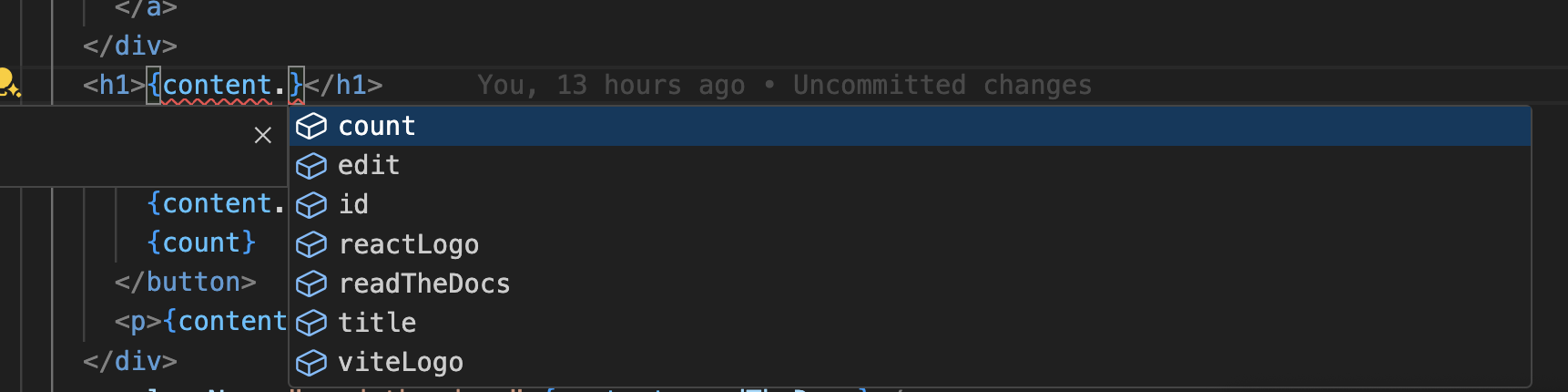
- 翻译键的自动补全。
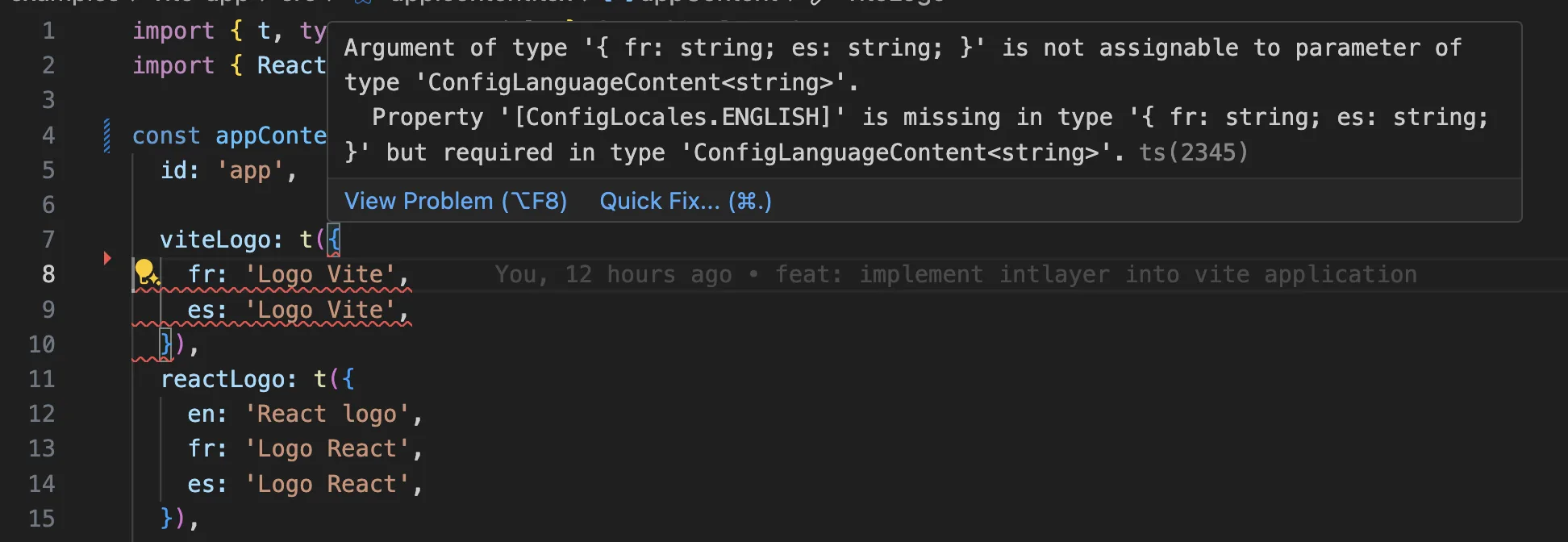
- 缺失翻译的实时错误检测。
- 已翻译内容的内联预览。
- 轻松创建和更新翻译的快速操作。
有关如何使用该扩展的更多详细信息,请参阅 Intlayer VS Code 扩展示例文档。
深入了解
想要深入了解,您可以实现可视化编辑器或使用CMS外部化您的内容。
常见问题
@angular/localize(内置 i18n):消息被提取到 XLIFF 文件中,每个语言环境被编译进独立的构建产物中,这意味着每种语言对应一个部署产物,无法在运行时切换语言环境。ngx-translate和Transloco:通过服务加载的运行时 JSON 目录,支持语言环境切换,但没有构建时类型安全。Intlayer:最先进的解决方案。内容可以在代码库中的任何位置声明(靠近每个组件或集中管理),并在构建时进行编译,全链路类型安全,支持运行时语言环境切换、AI 翻译、可视化编辑器和 CMS。
脱离 @angular/localize 的常见原因正是其“每个语言环境一次构建”的模式。Intlayer 保持单一构建产物并在运行时无缝切换语言。请参阅 为什么选择 Intlayer。
远少于基于命名空间的方案,因为页面永远不会下载它不渲染的语言目录。构建时编译器将 useIntlayer 调用替换为组件使用的确切字典条目,因此未使用的键和未使用的语言都会被自动丢弃,并且 动态字典 会按语言环境拆分剩余内容。与常规替代方案相比,Intlayer 可将 bundle 和页面体积减少高达 50%。请参阅 Bundle 体积优化 和 性能基准。
基本可以。请按照 ngx-translate 迁移指南 或 Transloco 迁移指南 迁移内容。您也可以逐步迁移:JSON 同步插件 将现有的 JSON 目录作为单一真实来源(source of truth),并生成 Intlayer 字典,使两个层在逐个组件迁移时保持同步。
可以。JSON 同步插件 将您的 /messages/{locale}/{namespace}.json 文件作为单一真实来源(source of truth),并双向生成 Intlayer 字典。PO 同步插件 对 gettext 目录执行相同的操作,而 按语言环境组织的文件 允许您按语言拆分内容,而不是将所有语言打包到一个文件中。
不需要。运行 npx intlayer extract,Intlayer 会读取您的源码文件,提取面向用户的字符串,并在每个组件旁边生成 .content 文件,这样您只需审查 diff,而无需手动逐一复制字符串到语言目录中。请参阅 extract 命令。
如需全自动流程,Intlayer Compiler 可以在构建时对 JSX、TSX、Vue 和 Svelte 源码执行相同操作,在每次更改时自动生成字典,完全无需手动维护键名。它通过静态分析工作,因此仅在运行时存在的字符串无法被捕获,并且需要少量注解以区分用户文本和应用程序逻辑。
共有 5 个工具,均为可选:
- VS Code 扩展:从
useIntlayer键跳转到声明它的内容文件,从组件中提取内容,并从命令面板或专属的 Intlayer 选项卡运行 build、fill、test、push 和 pull。 - LSP 服务器:在任何支持 LSP 的编辑器中提供相同的感知能力,支持跳转到定义、查找所有引用、悬停预览翻译值、键和字段的自动补全,以及在键未声明时发出警告。它还可以解析
i18next、react-i18next、next-intl和use-intl调用,助力平滑迁移。 - MCP 服务器:向 Cursor、VS Code、Claude Desktop、Claude Code 和 ChatGPT 公开 Intlayer 文档与 CLI,使 AI 助手能够基于最新文档进行准确回答,并能自行运行
intlayer fill等命令。 - Agent Skills:针对特定领域的技能(如
intlayer-config、intlayer-cli和intlayer-content,以及每个框架对应的专属技能),教导 AI 代理您的路由配置和内容节点类型。 - ESLint 插件:
no-raw-text规则标记硬编码字符串,并提供针对静态字典键和未使用内容的额外规则。