
Ask your question and get a summary of the document by referencing this page and the AI provider of your choice
Version History
- "Update Solid useIntlayer API usage to direct property access"v8.9.05/4/2026
- Change installIntlayer by use(intlayer)v8.5.03/24/2026
- "Add init command"v7.5.912/30/2025
- "Initial history"v5.5.106/29/2025
If you have an idea for improving this documentation, please feel free to contribute by submitting a pull request on GitHub.
GitHub link to the documentationCopy doc Markdown to clipboard
Translate your Vite and Vue website using Intlayer
Table of Contents
Why Intlayer over alternatives?
Compared to main solutions like vue-i18n or i18next, Intlayer is a solution that comes with integrated optimizations such as:
Intlayer is optimized to work perfectly with Vue by offering component-level content scoping, reactive translations, and all the features needed for scaling internationalization (i18n).
Instead of loading massive JSON files into your pages, load only the necessary content. Intlayer helps reduce your bundle and page sizes by up to 50%.
Scoping your application's content facilitates maintenance for large-scale applications. You can duplicate or delete a single feature folder without the mental burden of reviewing your entire content codebase. Additionally, Intlayer is fully typed to ensure your content's accuracy.
Co-locating content reduces the context needed by Large Language Models (LLMs). Intlayer also comes with a suite of tools, such as a CLI to test for missing translations,LSP, MCP, and agent skills, to make the developer experience (DX) even smoother for AI agents.
Use automation to translate in your CI/CD pipeline using the LLM of your choice at the cost of your AI provider. Intlayer also offers a compiler to automate content extraction, as well as a web platform to help translate in the background.
Connecting massive JSON files to components can lead to performance and reactivity issues. Intlayer optimizes your content loading at build time.
More than just an i18n solution, Intlayer provides an self-hosted visual editor and a full CMS to help you manage your multilingual content in real-time, making collaboration with translators, copywriters, and other team members seamless. Content can be stored locally and/or remotely.
Step-by-Step Guide to Set Up Intlayer in a Vite and Vue Application
See Application Template on GitHub.
Install Dependencies
Install the necessary packages using npm:
bashCopy codeCopy the code to the clipboard
the
--interactiveflag is optional. Useintlayer-cli initif you're an AI agent.This command will detect your environment and install the required packages. For example:
bashCopy codeCopy the code to the clipboard
intlayer
The core package that provides internationalization tools for configuration management, translation, content declaration, transpilation, and CLI commands.
vue-intlayer The package that integrates Intlayer with Vue application. It provides context providers and composables for Vue internationalization.
vite-intlayer Includes the Vite plugin for integrating Intlayer with the Vite bundler, as well as middleware for detecting the user's preferred locale, managing cookies, and handling URL redirection.
Configuration of your project
Architecture
In this architecture,
vue-intlayerprovides the plugin installed inmain.ts. Vue components declare and consume translations locally using composables, with Vite hot reloading handled byvite-intlayer.bashCopy codeCopy the code to the clipboard
Configuration
Create a config file to configure the languages of your application:
intlayer.config.tsCopy codeCopy the code to the clipboard
import { Locales, type IntlayerConfig } from "intlayer";

const config: IntlayerConfig = {
  internationalization: {
    locales: [
      Locales.ENGLISH,
      Locales.FRENCH,
      Locales.SPANISH,
      // Your other locales
    ],
    defaultLocale: Locales.ENGLISH,
  },
};

export default config;
Through this configuration file, you can set up localized URLs, middleware redirection, cookie names, the location and extension of your content declarations, disable Intlayer logs in the console, and more. For a complete list of available parameters, refer to the configuration documentation.
Integrate Intlayer in Your Vite Configuration
Add the intlayer plugin into your configuration.
vite.config.tsCopy codeCopy the code to the clipboard
import { defineConfig } from "vite";
import vue from "@vitejs/plugin-vue";
import { intlayer } from "vite-intlayer";

// https://vitejs.dev/config/
export default defineConfig({
  plugins: [vue(), intlayer()],
});
The
intlayer()Vite plugin is used to integrate Intlayer with Vite. It ensures the building of content declaration files and monitors them in development mode. It defines Intlayer environment variables within the Vite application. Additionally, it provides aliases to optimize performance.Declare Your Content
Create and manage your content declarations to store translations:
src/helloWorld.content.tsCopy codeCopy the code to the clipboard
import { t, type Dictionary } from "intlayer";

const helloWorldContent = {
  key: "helloworld",
  content: {
    count: t({ en: "count is ", fr: "le compte est ", es: "el recuento es " }),
    edit: t({
      en: "Edit <code>components/HelloWorld.vue</code> and save to test HMR",
      fr: "Éditez <code>components/HelloWorld.vue</code> et enregistrez pour tester HMR",
      es: "Edita <code>components/HelloWorld.vue</code> y guarda para probar HMR",
    }),
    checkOut: t({ en: "Check out ", fr: "Vérifiez ", es: "Compruebe " }),
    officialStarter: t({
      en: ", the official Vue + Vite starter",
      fr: ", le starter officiel Vue + Vite",
      es: ", el starter oficial Vue + Vite",
    }),
    learnMore: t({
      en: "Learn more about IDE Support for Vue in the ",
      fr: "En savoir plus sur le support IDE pour Vue dans le ",
      es: "Aprenda más sobre el soporte IDE para Vue en el ",
    }),
    vueDocs: t({
      en: "Vue Docs Scaling up Guide",
      fr: "Vue Docs Scaling up Guide",
      es: "Vue Docs Scaling up Guide",
    }),
    readTheDocs: t({
      en: "Click on the Vite and Vue logos to learn more",
      fr: "Cliquez sur les logos Vite et Vue pour en savoir plus",
      es: "Haga clic en los logotipos de Vite y Vue para obtener más información",
    }),
  },
} satisfies Dictionary;

export default helloWorldContent;
Your content declarations can be defined anywhere in your application as soon they are included into the
contentDirdirectory (by default,./src). And match the content declaration file extension (by default,.content.{json,ts,tsx,js,jsx,mjs,cjs,md,mdx,yaml,yml}).For more details, refer to the content declaration documentation.
Utilize Intlayer in Your Code
To utilize Intlayer's internationalization features throughout your Vue application, you first need to register the Intlayer singleton instance in your main file. This step is crucial as it provides the internationalization context to all components in your application, making translations accessible anywhere in your component tree.
Copy codeCopy the code to the clipboard
You can also call
installIntlayer(app)directly as a function if you prefer:javascriptCopy codeCopy the code to the clipboard
Access your content dictionaries throughout your application by creating a main Vue component and using the
useIntlayercomposables:src/HelloWord.vueCopy codeCopy the code to the clipboard
If your app already exists, you can use the Intlayer Compiler, as well as the extract command, to transform thousands of components in a second.
Accessing Content in Intlayer
Intlayer offers different APIs to access your content:
Component-based syntax (recommended): Use the
<myContent />, or<Component :is="myContent" />syntax to render content as an Intlayer Node. You can also customize the rendering by using the.use()method:<Component :is="myContent.use({ b: (props) => h('strong', props) })" />. This integrates seamlessly with the Visual Editor and CMS.String-based syntax: Use
{{ myContent }}to render the content as plain text, without Visual Editor support.Raw HTML syntax: Use
<div v-html="myContent" />to render the content as raw HTML, without Visual Editor support.Destructuration syntax: The
useIntlayercomposable returns an Proxy with the content. This proxy can be destructured to access the content while keeping the reactivity.- Use
const content = useIntlayer("myContent");And{{ content.myContent }}/<content.myContent />. - Or use
const { myContent } = useIntlayer("myContent");And{{ myContent}}/<myContent/>to destructure the content.
- Use
Change the language of your content
OptionalTo change the language of your content, you can use the
setLocalefunction provided by theuseLocalecomposable. This function allows you to set the locale of the application and update the content accordingly.Create a component to switch between languages:
src/components/LocaleSwitcher.vueCopy codeCopy the code to the clipboard
Then, use this component in your App.vue:
src/App.vueCopy codeCopy the code to the clipboard
Add localized Routing to your application
OptionalAdding localized routing in a Vue application typically involves using Vue Router with locale prefixes. This makes unique routes for each language, which is useful for SEO and SEO-friendly URLs.
Example:
plaintextCopy codeCopy the code to the clipboard
First, install Vue Router:
bashCopy codeCopy the code to the clipboard
Then, create a router configuration that handles locale-based routing:
src/router/index.tsCopy codeCopy the code to the clipboard
The name is used to identify the route in the router. It should be unique across all routes to avoid conflicts and ensure proper navigation and linking.
Then, register the router in your main.js file:
src/main.tsCopy codeCopy the code to the clipboard
Then update your
App.vuefile to render the RouterView component. This component will display the matched component for the current route.src/App.vueCopy codeCopy the code to the clipboard
In parallel, you can also use the
intlayerProxyto add server-side routing to your application. This plugin will automatically detect the current locale based on the URL and set the appropriate locale cookie. If no locale is specified, the plugin will determine the most appropriate locale based on the user's browser language preferences. If no locale is detected, it will redirect to the default locale.Note that to use the
intlayerProxyin production, you need to switch thevite-intlayerpackage fromdevDependenciestodependencies.Since Intlayer v9,
intlayerProxy()is bundled directly into theintlayer()plugin and enabled by default through therouting.enableProxyoption (trueby default). Registering it separately as shown below is now optional. It is kept for backward compatibility and for setups that need to control plugin order. Setrouting.enableProxy: falseto opt out. See the v9 release notes.vite.config.tsCopy codeCopy the code to the clipboard
import { defineConfig } from "vite"; import vue from "@vitejs/plugin-vue"; import { intlayer } from "vite-intlayer"; // https://vitejs.dev/config/ export default defineConfig({ plugins: [ vue(), intlayer({ proxy: { ignore: (req) => req.url?.startsWith("/api"), }, }), ], });Change the URL when the locale changes
OptionalTo automatically update the URL when the user changes the language, you can modify the
LocaleSwitchercomponent to use Vue Router:src/components/LocaleSwitcher.vueCopy codeCopy the code to the clipboard
Tip: For better SEO and accessibility, use tags as
<a href="/fr/home" hreflang="fr">to link to localized pages, as shown in Step 10. This allows search engines to discover and index language-specific URLs properly. To preserve SPA behavior, you can prevent the default navigation with @click.prevent, change the locale using useLocale, and programmatically navigate using Vue Router.htmlCopy codeCopy the code to the clipboard
Switch the HTML Language and Direction Attributes
OptionalWhen your application supports multiple languages, it's crucial to update the
<html>tag'slanganddirattributes to match the current locale. Doing so ensures:- Accessibility: Screen readers and assistive technologies rely on the correct
langattribute to pronounce and interpret content accurately. - Text Rendering: The
dir(direction) attribute ensures that text is rendered in the proper order (e.g., left-to-right for English, right-to-left for Arabic or Hebrew), which is essential for readability. - SEO: Search engines use the
langattribute to determine the language of your page, helping to serve the right localized content in search results.
By updating these attributes dynamically when the locale changes, you guarantee a consistent and accessible experience for users across all supported languages.
src/composables/useI18nHTMLAttributes.tsCopy codeCopy the code to the clipboard
Use this composable in your
App.vueor a global component:src/App.vueCopy codeCopy the code to the clipboard
- Accessibility: Screen readers and assistive technologies rely on the correct
Creating a Localized Link Component
OptionalTo ensure that your application’s navigation respects the current locale, you can create a custom
Linkcomponent. This component automatically prefixes internal URLs with the current language, so that. For example, when a French-speaking user clicks on a link to the "About" page, they are redirected to/fr/aboutinstead of/about.This behavior is useful for several reasons:
- SEO and User Experience: Localized URLs help search engines index language-specific pages correctly and provide users with content in their preferred language.
- Consistency: By using a localized link throughout your application, you guarantee that navigation stays within the current locale, preventing unexpected language switches.
- Maintainability: Centralizing the localization logic in a single component simplifies the management of URLs, making your codebase easier to maintain and extend as your application grows.
src/components/Link.vueCopy codeCopy the code to the clipboard
For use with Vue Router, create a router-specific version:
src/components/RouterLink.vueCopy codeCopy the code to the clipboard
Use these components in your application:
src/App.vueCopy codeCopy the code to the clipboard
Extract the content of your components
OptionalIf you have an existing codebase, transforming thousands of files can be time-consuming.
To ease this process, Intlayer propose a compiler / extractor to transform your components and extract the content.
To set it up, you can add a
compilersection in yourintlayer.config.tsfile:intlayer.config.tsCopy codeCopy the code to the clipboard
import { type IntlayerConfig } from "intlayer"; const config: IntlayerConfig = { // ... Rest of your config compiler: { /** * Indicates if the compiler should be enabled. */ enabled: true, /** * Defines the output files path */ output: ({ fileName, extension }) => `./${fileName}${extension}`, /** * Indicates if the components should be saved after being transformed. * * - If `true`, the compiler will rewrite the component file in the disk. So the transformation will be permanent, and the compiler will skip the transformation for the next process. That way, the compiler can transform the app, and then it can be removed. * * - If `false`, the compiler will inject the `useIntlayer()` function call into the code in the build output only, and keep the base codebase intact. The transformation will be done only in memory. */ saveComponents: false, /** * Dictionary key prefix */ dictionaryKeyPrefix: "", }, }; export default config;Run the extractor to transform your components and extract the content
bashCopy codeCopy the code to the clipboard
Since v9, the
intlayerCompileris included in theintlayerplugin. So you don't need to add it manually.Update your
vite.config.tsto include theintlayerCompilerplugin:vite.config.tsCopy codeCopy the code to the clipboard
Build your application to transform your components and extract the content
bashCopy codeCopy the code to the clipboard
(Optional) Sitemap and robots.txt (build-time)
Intlayer includes formatters such as generateSitemap and getMultilingualUrls that produce crawler-ready multilingual sitemap.xml and robots.txt output you can write into your project’s public/ folder. In practice you run a small Node script before Vite (for example predev / prebuild npm hooks) so those files exist when you build or serve the app.
Sitemap
Intlayer’s sitemap generator respects your locale setup and includes the usual metadata for crawlers.
The generated sitemap supports thexhtml:linknamespace (hreflang XML extensions). Unlike basic generators that only emit flat URLs, Intlayer wires bidirectional links between every localized variant of each page (for example/about,/fr/about, or/about?lang=fr, depending on your routing mode), which helps search engines relate localized URLs.
Robots.txt
Use getMultilingualUrls so Disallow entries cover every localized spelling of sensitive paths.
1. Add generate-seo.mjs at the project root
Copy the code to the clipboard
intlayer must be installed so the script can import it. Set SITE_URL in the environment for production (for example in CI).
Prefergenerate-seo.mjsfor Node ESM. If you usegenerate-seo.jsinstead, ensure"type": "module"is set inpackage.json, or run Node with ESM enabled.
2. Run the script before Vite
Copy the code to the clipboard
Adjust if you use pnpm or yarn. You can also invoke the same script from CI or another step if that fits your workflow.
Configure TypeScript
Intlayer uses module augmentation to get benefits of TypeScript and make your codebase stronger.
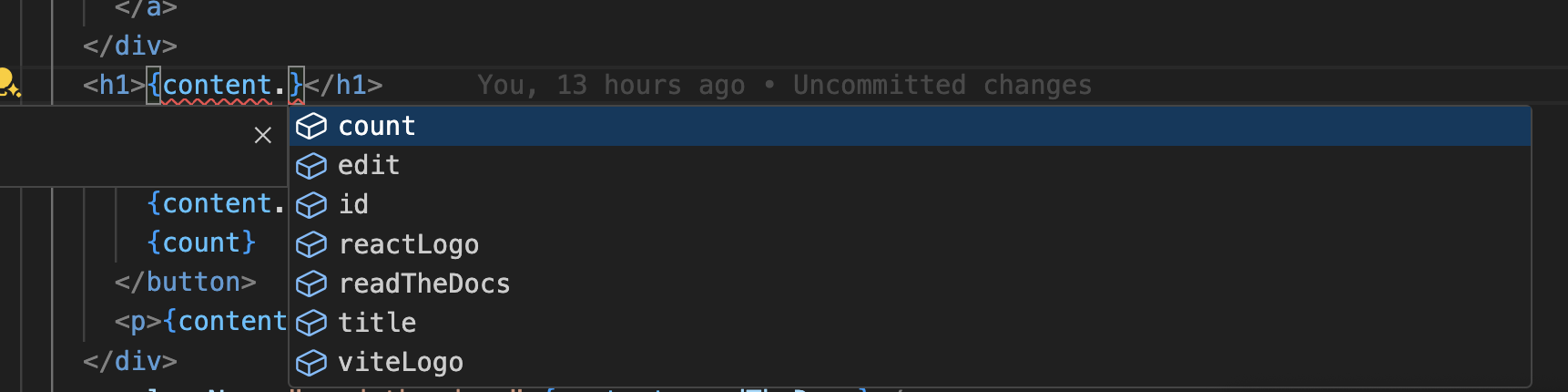
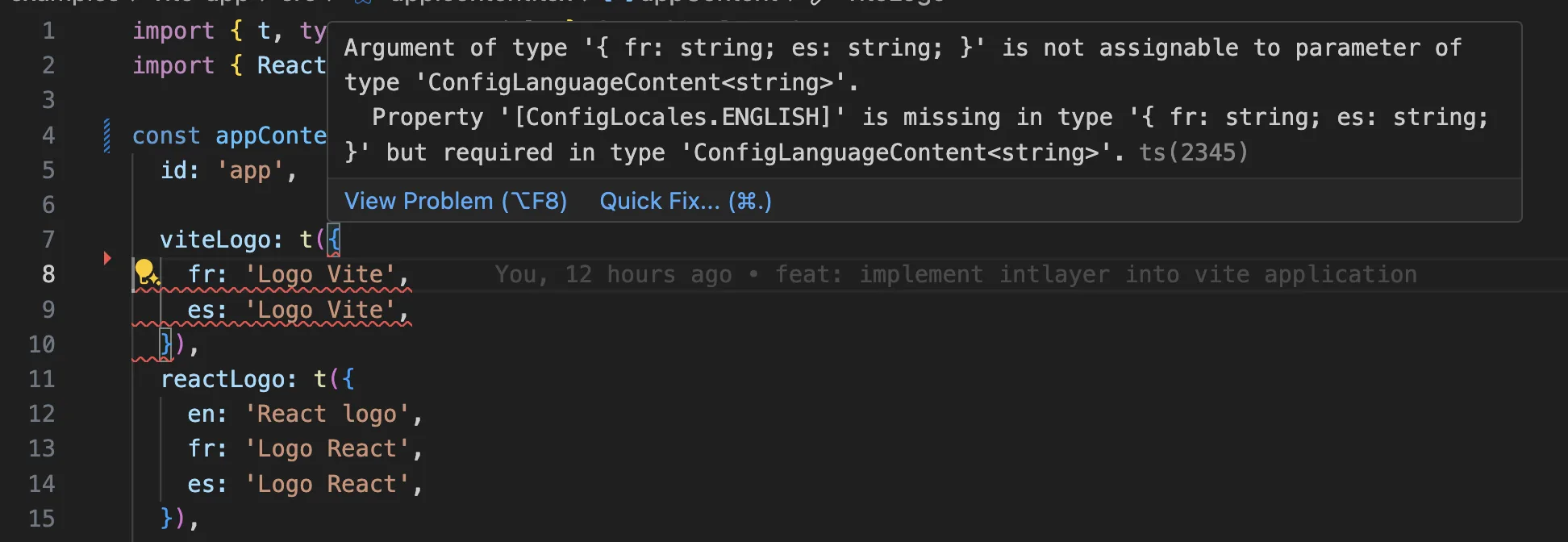
Ensure your TypeScript configuration includes the autogenerated types.
Copy the code to the clipboard
Git Configuration
It is recommended to ignore the files generated by Intlayer. This allows you to avoid committing them to your Git repository.
To do this, you can add the following instructions to your .gitignore file:
Copy the code to the clipboard
VS Code Extension
To improve your development experience with Intlayer, you can install the official Intlayer VS Code Extension.
This extension provides:
- Autocompletion for translation keys.
- Real-time error detection for missing translations.
- Inline previews of translated content.
- Quick actions to easily create and update translations.
For more details on how to use the extension, refer to the Intlayer VS Code Extension documentation.
Vue Devtools
vue-intlayer registers an Intlayer panel in Vue Devtools out of the box. Open the Vue tab of your browser devtools and select Intlayer in the sidebar to inspect your dictionaries and their per-locale translations, or to switch the current locale of the app.
When the visual editor is set up, plain-text translations can also be edited inline from the panel: edits are written back to your content declaration files and hot-reloaded in the app.
Go Further
To go further, you can implement the visual editor or externalize your content using the CMS.
Frequently Asked Questions
vue-i18n: the reference library, with message catalogs registered globally and ICU style formatting. It has no way to namespace messages, so a page bundles every catalog and the bundle size keeps growing as the app adds pages.Intlayer: the most advanced solution. Content declared anywhere in your codebase (next to each component or centralized) and compiled by the Vite plugin at build time, fully typed, with AI translation, a visual editor and a CMS.
The practical difference is scope and typing. vue-i18n resolves keys as strings at runtime, so a renamed key fails silently, while Intlayer generates types from your declarations and drops content no component uses. See why Intlayer and the Vue i18n benchmark.
Much less than a namespace based setup, because a page never downloads a catalog it does not render. The build time compiler replaces useIntlayer calls with the exact dictionary entries a component uses, so unused keys and unused languages are dropped, and dynamic dictionaries split the rest per locale. Measured against the usual alternatives, Intlayer reduces bundle and page size by up to 50%. See bundle optimization and the benchmark.
Yes, and there are two paths. You can migrate the content progressively with the vue-i18n migration guide. Or you can keep your current API entirely: the compat adapters expose the exact same API as vue-i18n, but served by Intlayer dictionaries, so imports change and component code does not.
Yes. The sync JSON plugin keeps your /messages/{locale}/{namespace}.json files as the source of truth and generates Intlayer dictionaries from them, in both directions. A sync PO plugin does the same for gettext catalogs, and per locale files let you split content by language instead of grouping locales in one file.
No. Run npx intlayer extract and Intlayer reads your components, pulls the user facing strings out and writes a .content file next to each one, so you review a diff instead of copying strings into a catalog one at a time. Step 11 of this guide walks through it.
For a fully automated pipeline, the Intlayer Compiler does the same at build time: it scans your JSX, TSX, Vue and Svelte source on every change, generates the dictionaries and keeps them in sync through hot module replacement, so there are no keys to maintain by hand at all.
Two limits are worth knowing before you turn the compiler on. It works by static analysis, so strings that only exist at runtime, such as API error codes or CMS fields, stay out of reach. And it has to tell user facing text apart from application logic like className="active" or a status code, which needs a few annotations in a large codebase. The extract command avoids both by keeping you in the loop.
Five pieces, all optional:
- VS Code extension: jump from a
useIntlayerkey to the content file that declares it, extract content from a component, and run build, fill, test, push and pull from the command palette or a dedicated Intlayer tab. - LSP server: the same awareness in any editor that speaks LSP, with go to definition, find all references, hover previews of a translated value, autocompletion of keys and fields, and a warning when a key is not declared anywhere. It also resolves
i18next,react-i18next,next-intlanduse-intlcalls, which helps while you migrate. - MCP server: exposes the Intlayer documentation and CLI to Cursor, VS Code, Claude Desktop, Claude Code and ChatGPT, so an assistant answers from current docs instead of guessing, and can run commands such as
intlayer fillitself. - Agent skills: focused skills such as
intlayer-config,intlayer-cliandintlayer-content, plus one per framework, that teach an agent your routing setup and the content node types. - ESLint plugin:
no-raw-textflags hardcoded strings, with further rules for static dictionary keys and unused content.